
Heidi II is here. Learn more.

HeidiHeidi
  • Pricing
Log inGet Heidi free

Back to all integrations

Practice Perfect logo
API

Practice Perfect

Practice Perfect

Use Heidi Scribe inside Practice Perfect to transcribe your visits and send notes straight into the patient's medical record.

Connect to IntegrationContact Sales
Practice Perfect logo

About Practice Perfect integration with Heidi
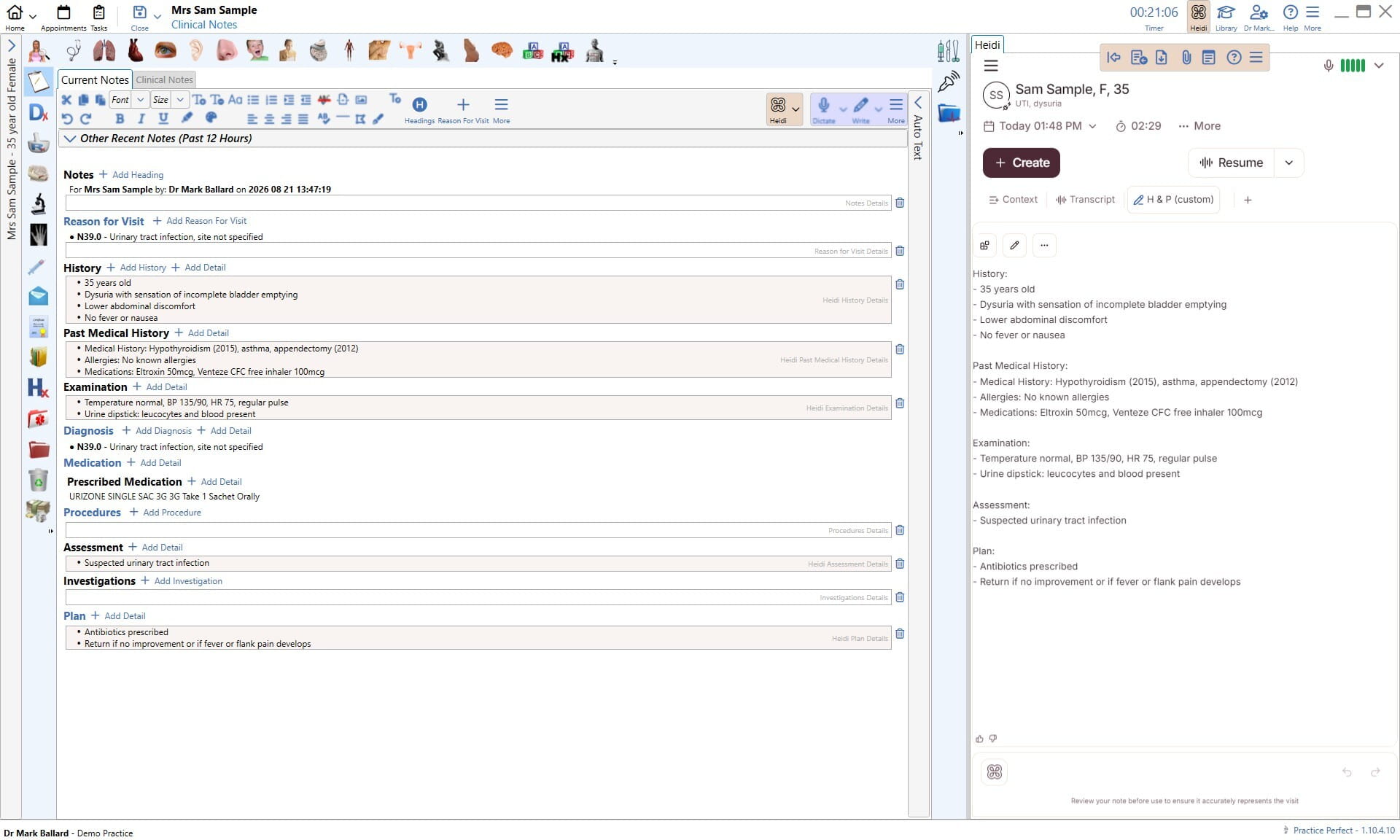
Before you start

You'll need:

  • A Practice Perfect system cloud hosted by Practice Perfect

  • An active Heidi account with EHR integration enabled

  • The Heidi Integration Module enabled in Practice Perfect

Step 1: Enable the Heidi Integration Module

Contact Practice Perfect Support and ask them to enable the Heidi Integration Module for your installation.

Good to know: activating the module is free.

Step 2: Link your Heidi account

Once the module is active, sign in to Heidi from within Practice Perfect.

For step-by-step instructions, see the Practice Perfect Help Centre: Getting started with Heidi.

Need help?

Questions about setup go to Practice Perfect Support.

Connect to IntegrationContact Sales

Table of Contents

  • Before you start

  • Step 1: Enable the Heidi Integration Module

  • Step 2: Link your Heidi account

  • Need help?

Heidi Desktop goes where the browser can’t.

Dictate anywhere on your screen, capture telehealth audio straight from the call,
and skip the second login.

Download for macOSDownload for Windows
alt
alt

Resources

  • Explainers

  • FAQs

  • Progress Notes

  • Podcast

  • AI Tools

Why Heidi

  • Impact

  • Awards and Recognition

  • Evaluating Heidi

  • Patient Experience

Compliance

  • Trust Center

  • GDPR

  • HIPAA

  • AU/NZ

  • UK

  • Canada

Support

  • Help Centre

  • Heidi Guides

  • System Status

  • System Requirements

  • Contact Us

Legal

  • Privacy Policy

  • Terms of Service

  • Usage Policy

  • UKGDPR Policy

  • Accessibility

imxYAA

© 2026 Heidi. All rights reserved.