Learning Objectives:
- Understand use cases for using the dictate feature
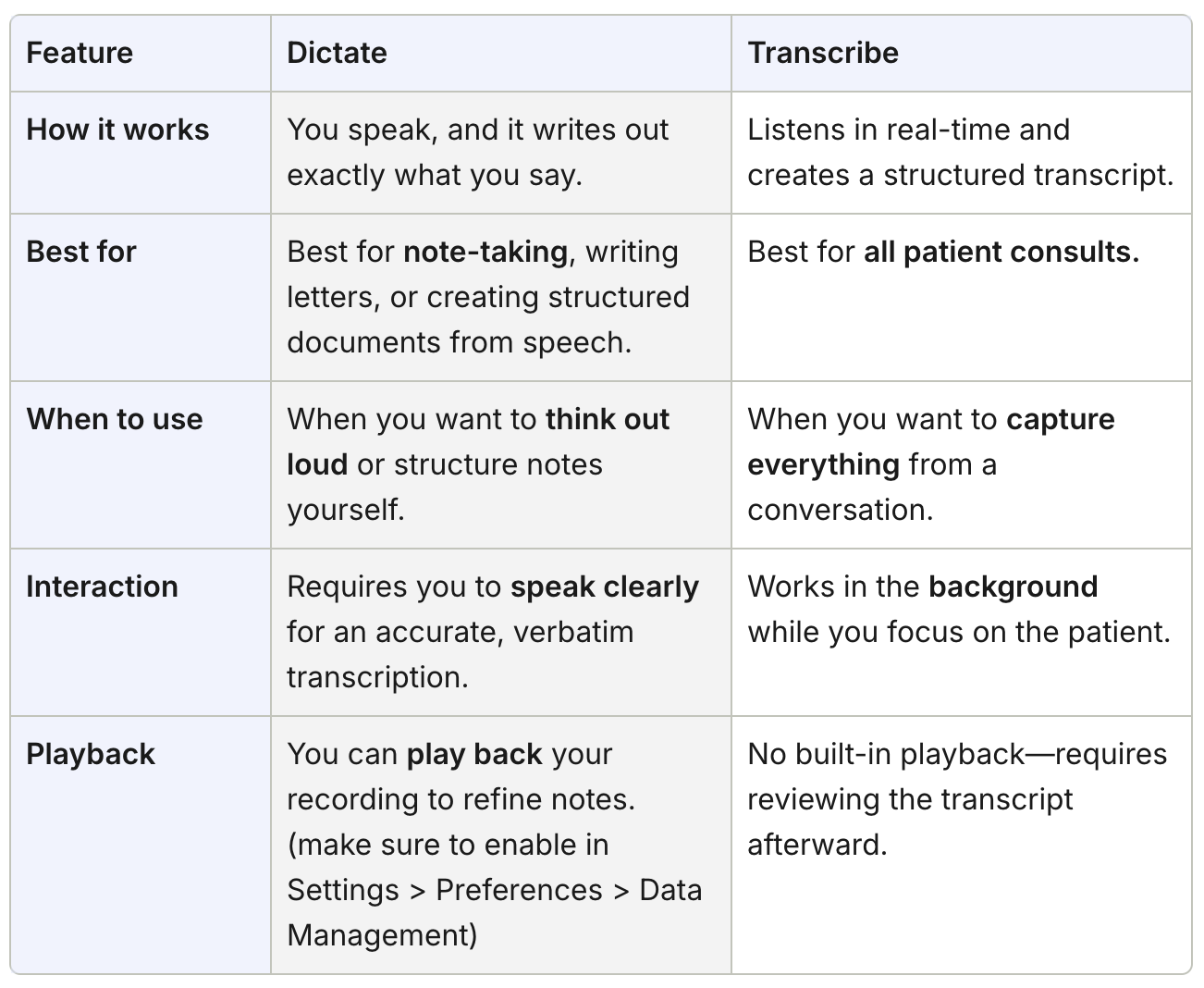
- Understand the difference between Dictate vs Transcribe?
Dictation is a feature where Heidi will write out word-for-word anything you say. You can use it to get a complete script of the session, an operative note, summary or simply to jot down your thoughts as you speak them aloud.
How to Dictate?
- Start a new session
- Instead of choosing Transcribe, press 'Dictate'
- Speak into the microphone
- Once complete, press 'Stop dictating' and will produce a word-for-word document, similar to a script.
Dictate vs Transcribe - which do I use?