Where can you use Heidi?
Highlights how flexible Heidi can be, and how it integrates into various clinical workflows.
April 8, 2025•2 min read
Use Heidi anywhere, anytime
Take Heidi with you, wherever your patients need you
Outpatient Care
For clinics, private practices, and allied health services where patients attend scheduled appointments.
Examples: GP clinics, specialist consults, therapy sessions.
Examples: GP clinics, specialist consults, therapy sessions.
Recommended Heidi option: Desktop app, web browser
Inpatient Care
For hospitals and facilities managing admitted patients, including ward rounds and team meetings.
Examples: Bedside consults, surgical planning, hospital rounds.
Examples: Bedside consults, surgical planning, hospital rounds.
Recommended Heidi option: Mobile app
Telehealth
For remote consultations via video or phone, ideal for virtual clinics or follow-ups.
Examples: Online GP services, therapy follow-ups, triaging.
Examples: Online GP services, therapy follow-ups, triaging.
Recommended Heidi option: Desktop app
On-the-go or Mobile Care
For mobile settings like home visits, community health, or ambulance services.
Examples: Physiotherapists at home visits, paramedics, outreach clinicians.
Examples: Physiotherapists at home visits, paramedics, outreach clinicians.
Recommended Heidi option: Mobile app
* Whichever device you use, all sessions will sync to your Heidi account, so you can review or finalise notes later on a desktop.
Choosing the right Heidi mode for you
Heidi is available on 4 platforms, each designed to fit different clinical workflows:
1️⃣ Desktop browser
2️⃣ Desktop app
3️⃣ Mobile app
4️⃣ Chrome Extension
🔄 Switch it up! Heidi is designed to be flexible, you don’t have to stick to just one mode! If you work in a dynamic environment, you can seamlessly switch between the web, desktop, mobile, or Chrome extension as needed.
Download the Heidi Chrome extension, desktop and mobile app here.
🔎 Find the best fit for your workflow:
1. Static workflow (singular room)
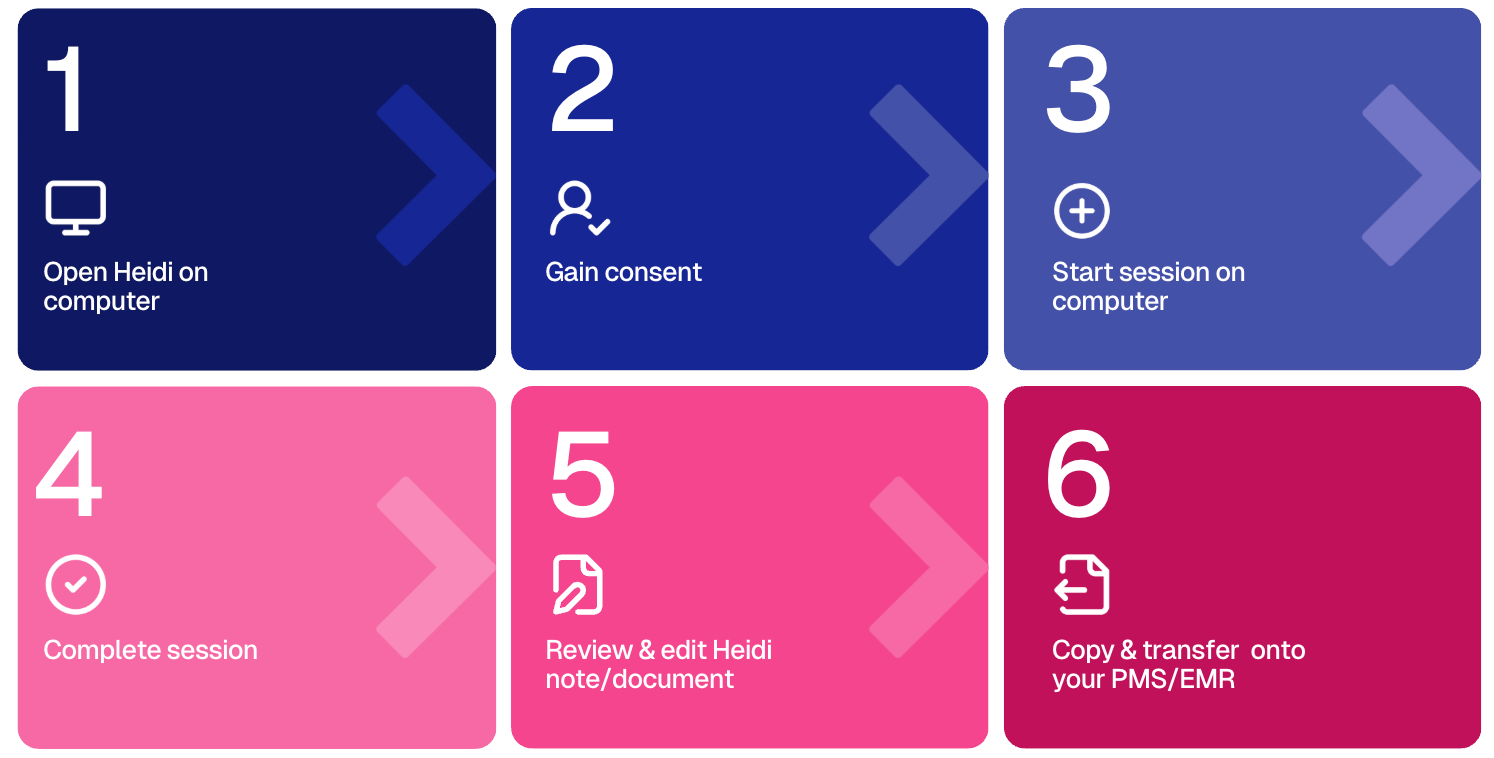
2. Dynamic workflow (moving around)
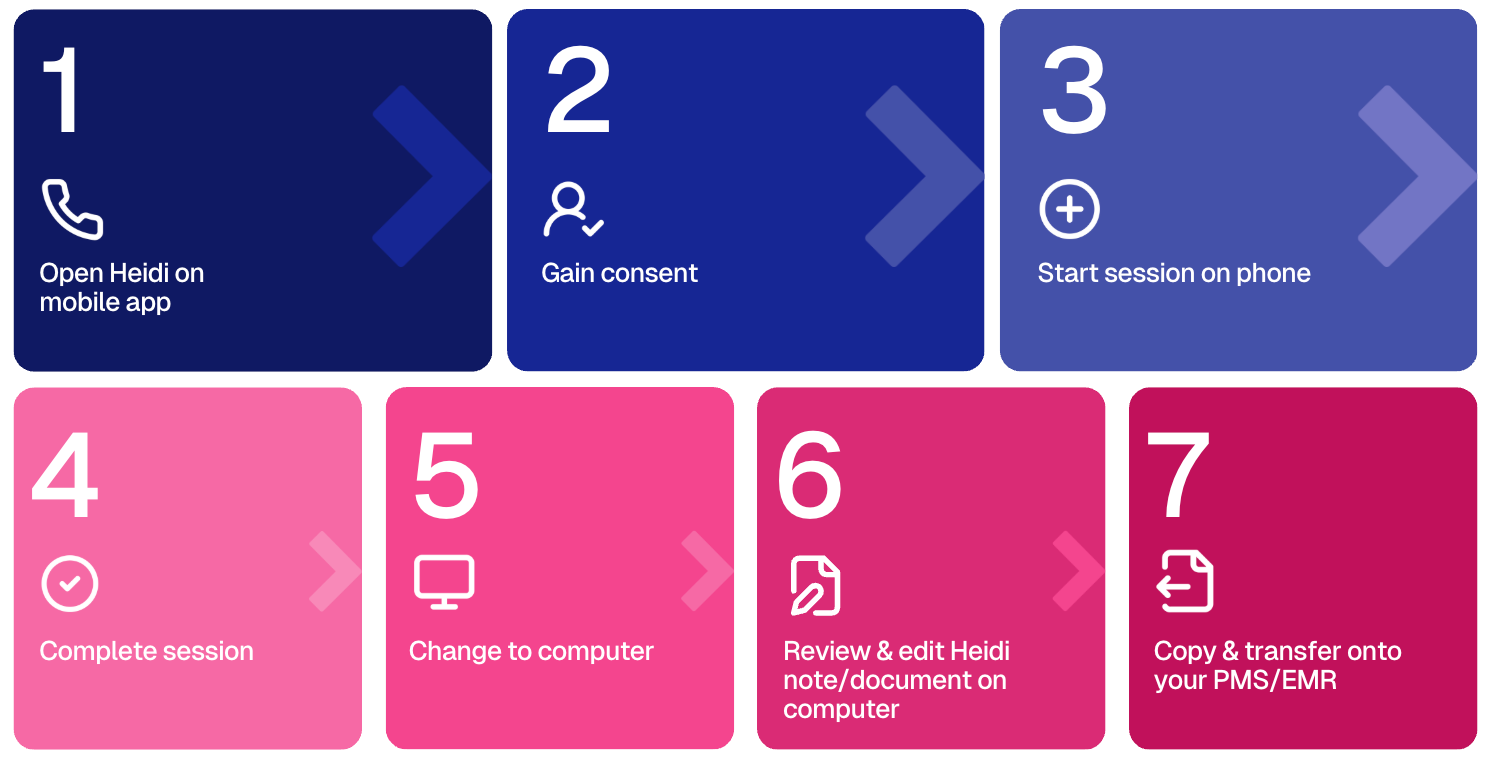
3. Phone calls
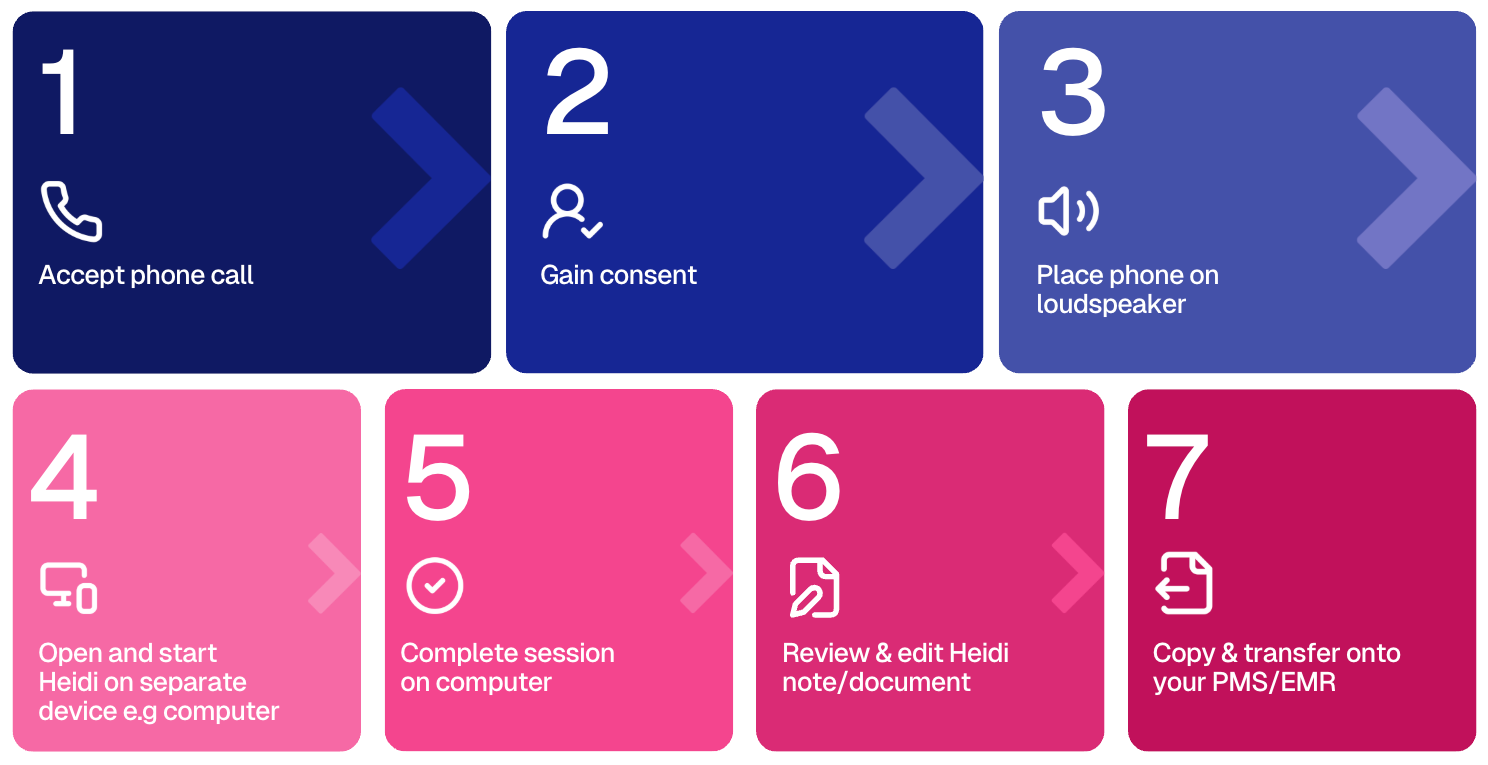
4. Telehealth - no desktop app
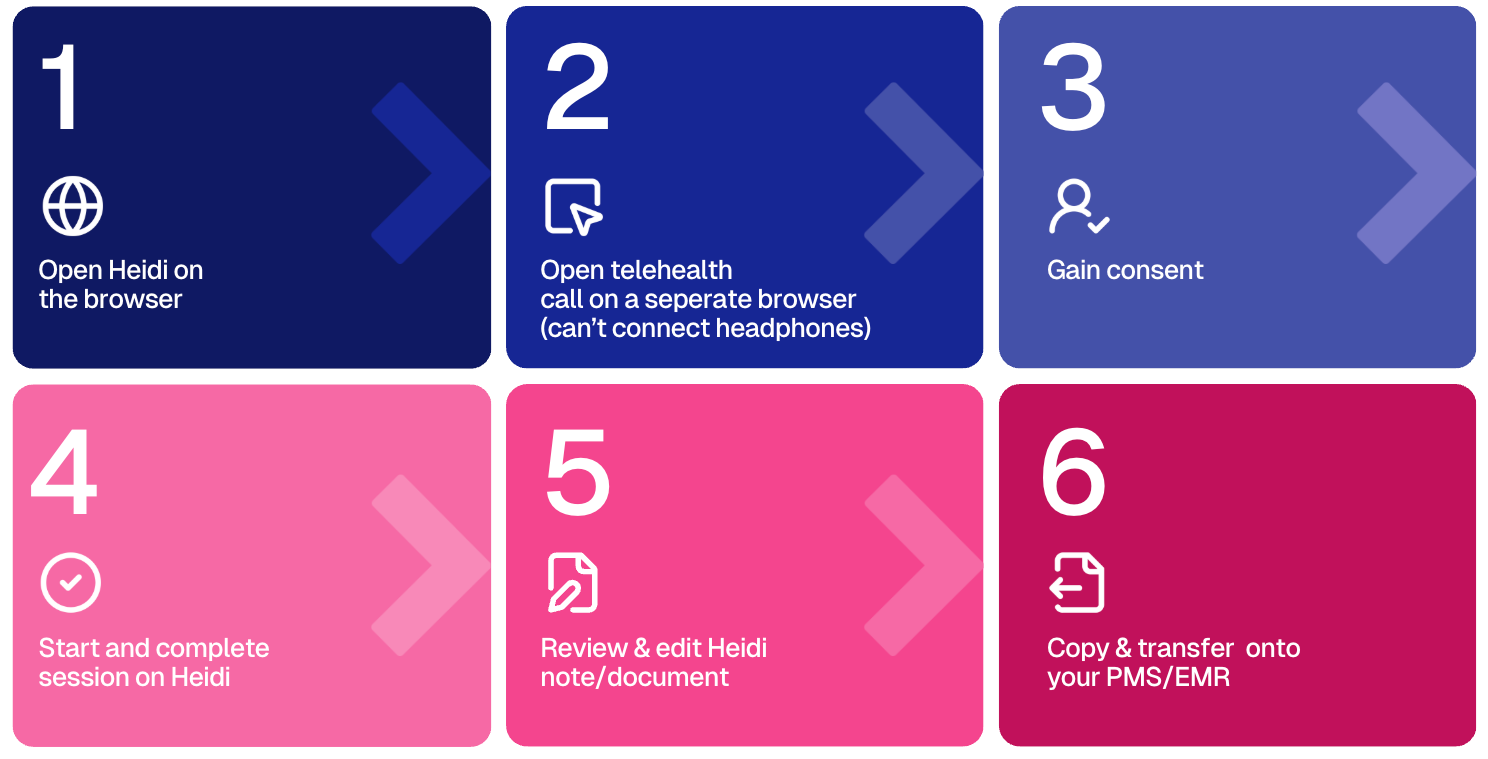
5. Telehealth - desktop app available
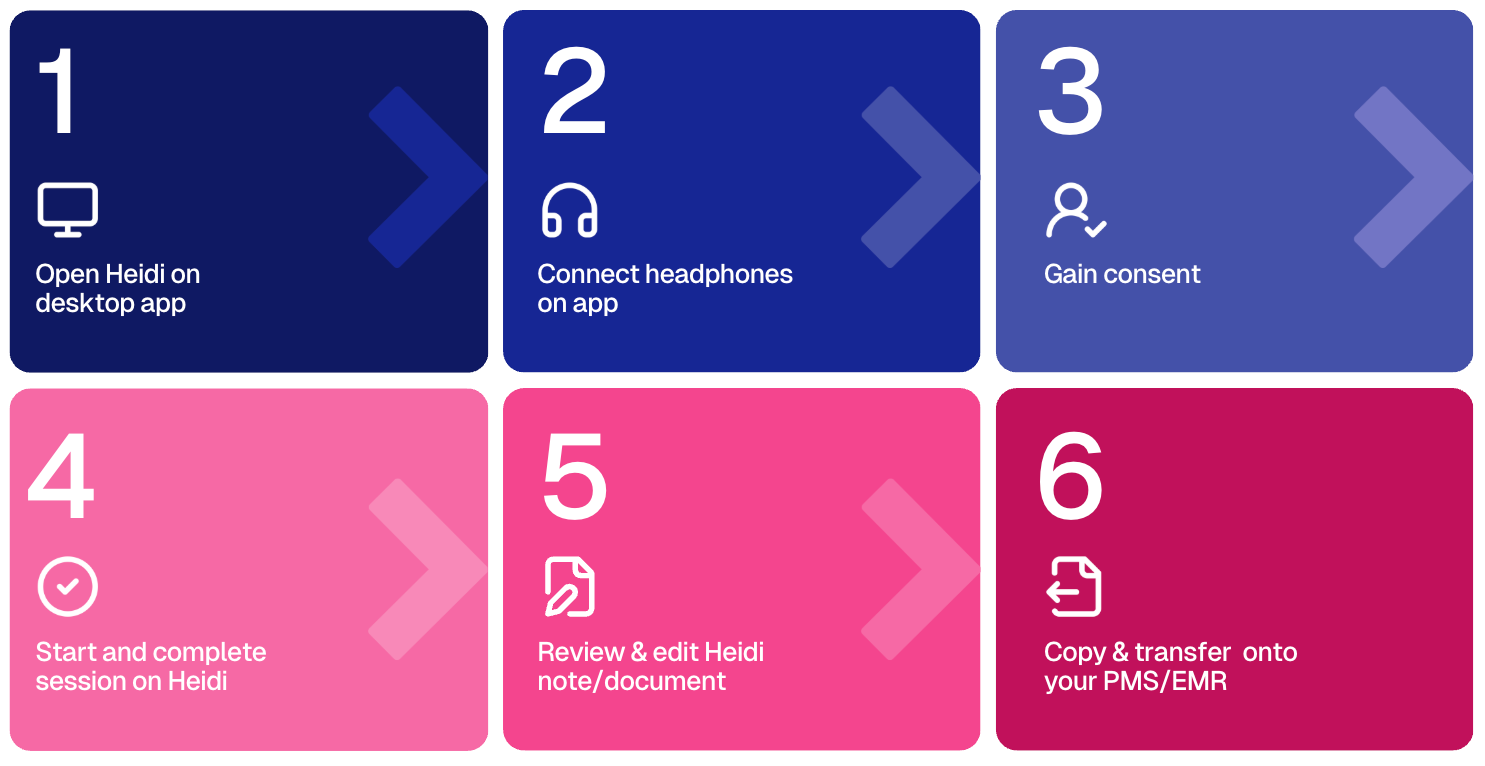
6. Phone app for low bandwidth
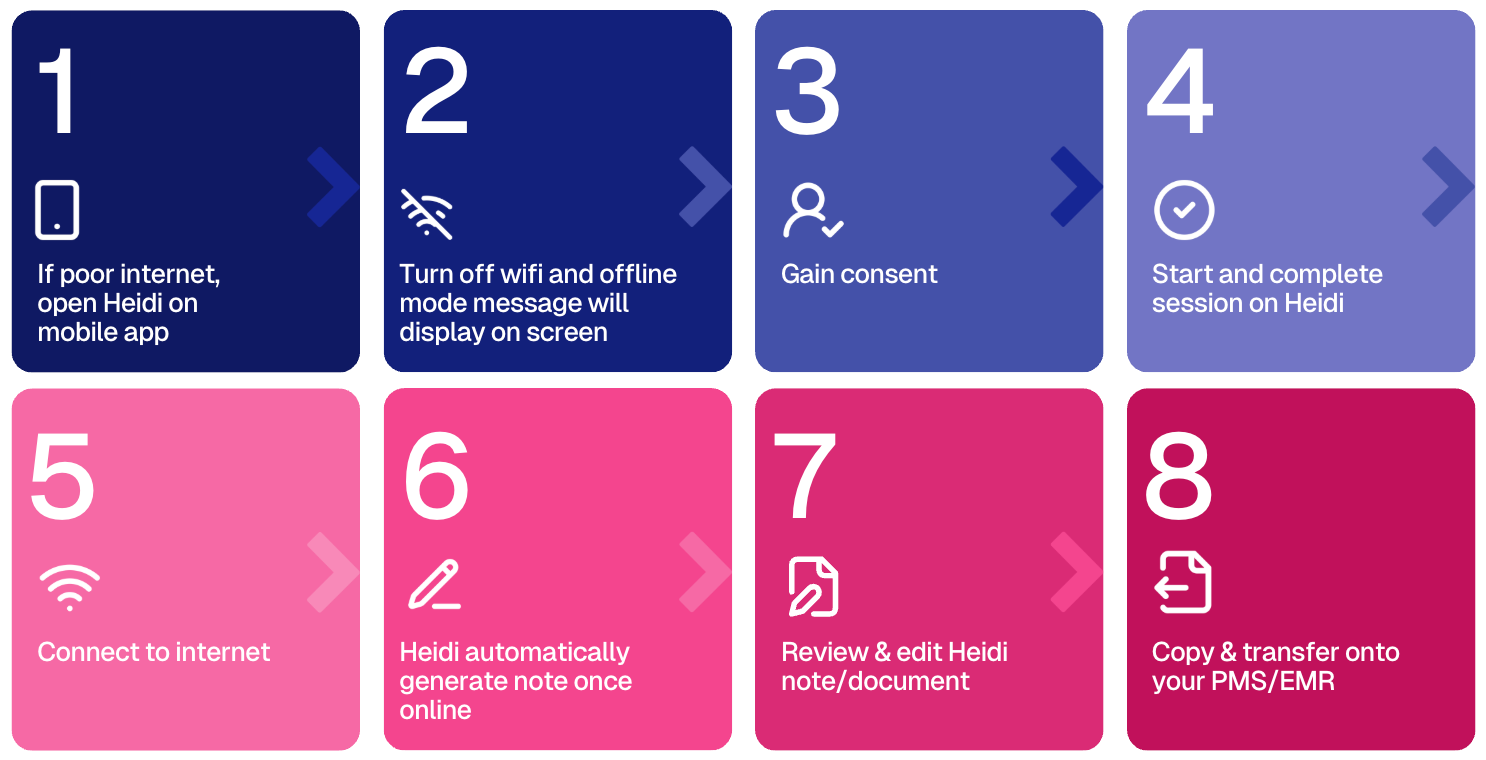
💡 Need help choosing? If you’re unsure which platform is best for you, reach out to our support team for guidance!