Dictate anywhere on your screen, capture telehealth audio straight from the call,
and skip the second login.
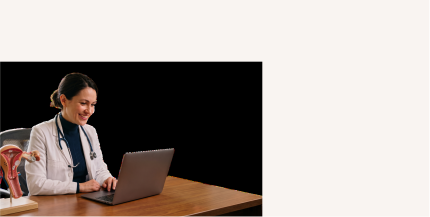
Dr. Annie Liau Fui Vun, Consultant Pediatrician in Columbia Asia Hospital
Turn the details of OB-GYN care into ready text faster: scans, symptoms, counselling, delivery updates and next steps. Reclaim time back to care. Start free and dictate now.
Answered for questions from OB/GYN practices, whether it’s about accuracy, workflow fit or patient data security.
No. A standalone dictation tool means separate procurement and a separate deployment, on top of what you already run. Heidi is one connected platform: aside from voice-based transcription and cursor dictation, it simplifies administrative tasks beyond OB-GYN with Evidence for clinical search.
Heidi is designed for use across specialties, for all practice sizes and types. One platform covers the visit and the typing around it. Nothing extra to buy or maintain.
OB-GYN practices often run behind schedule. Heidi Dictate doesn’t let you leave any of your documents undone. Through dictation, you complete your notes by voice; move quickly between forms, letters, discharge summaries and patient instructions within your desktop, in and out of Heidi.
Upon installation of the Heidi desktop app, head to Settings. Pick a shortcut for Dictation that’s most natural to you or keep the default. Set your cursor in the space and with one press, your voice completes your notes and letters.
Dictate keeps up with the terminology and nuances of gynecology, no voice profile training needed. A long review session checking for spelling and adding OB-GYN terms like “colposcopy” becomes shorter. Less manual correction in documentation alone.
Your words, on screen, in whatever you're writing. Delivery summaries and IUD insertion notes are built from clinical details you can fill in order. Put your cursor where you want the text to land, then dictate the details along with verbal commands such as “new paragraph.”
Fill out note or form fields in the right format. Pick the style that fits the document, then let your voice fill it in. Talk naturally, and the output already sounds fit for the audience. Formal in the EHR, conversational in email. You set it, you speak it, Dictate handles the rest.
Verbalize findings and care plans continuously, even up to 10 minutes, then a warning prompts at the 9-minute mark. Dictate lengthy operative details without interruptions from repeated key pressing. Do it best on hands-free mode.
Try Dictate for free to experience the difference today. See its accuracy with fetal movement updates, blood pressure reviews, and other notes. Download Heidi to your desktop now, allow microphone and system permissions, and start dictating.
A quick video of Dictate in OB-GYN workflows. From filling patient registration forms to detailing prenatal records, Dictate takes your words so you don’t have to type. Watch how to start dictation on any app on your computer.

Learn more how Dictate works with Epic systems. Click on the field from Hyperspace, Hyperdrive, Resolute or Radiant. Press your hotkey then speak. Your words land where the cursor is.
See how Dictate works inside Athenahealth. Place the cursor in any patient custom field then speak. Your words land into it, whether you’re charting or looking up patient information.